Organize medical records
Import supported visit summaries, discharge papers, lab reports, scans and photos. Extracted information stays connected to its source so you can review what was read.
Private health organization for Windows
Free for 30 daysPAi Health brings medical documents, lab results, medications and daily readings into one private workspace—so people living with chronic illness or complex health problems can follow changes over time and prepare clearer questions for appointments.
Available from Microsoft Store for Windows. Microsoft Store displays the current post-trial price and terms.
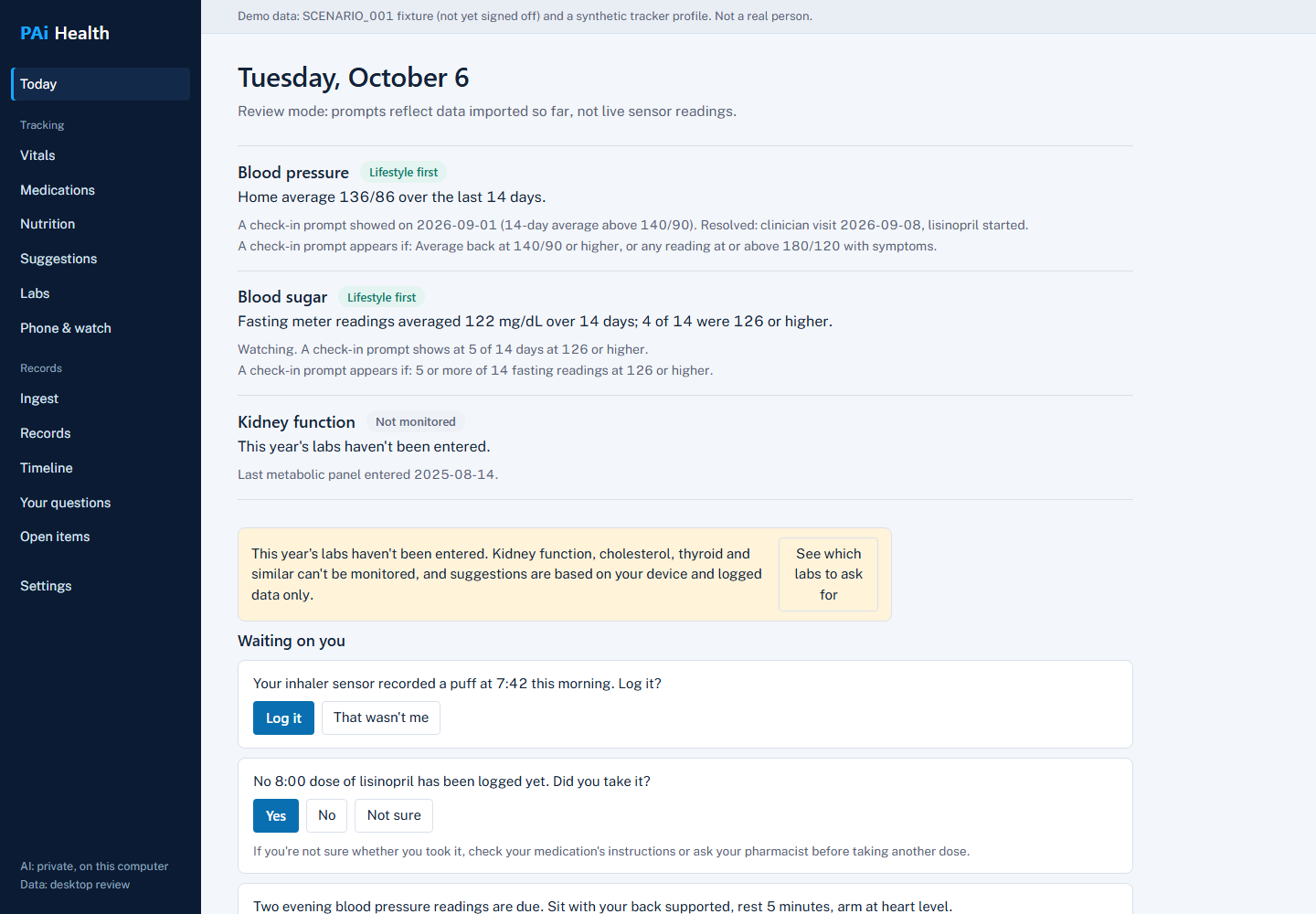
Built for complicated histories
PAi Health is designed for people who need more than a basic wellness log. It helps organize the information already scattered across portals, PDFs, lab reports, device exports and daily notes.
Import supported visit summaries, discharge papers, lab reports, scans and photos. Extracted information stays connected to its source so you can review what was read.
Review blood pressure, glucose and weight over time. Keep day-to-day readings beside the records and medication context that help explain them.
Resolve brand, generic and combination-product names to their active ingredients, check every medication pair against FDA labels, and flag duplicate ingredients or same-class medicines.
Organize procedures and services reported on supported claims, bills, EOBs and Medicare notices by code, service date and claim status.
Bring supported laboratory reports into a longitudinal view and identify routine information that may be missing from the record.
Explore relationships in your own records and turn uncertainties into focused questions to discuss with a qualified healthcare professional.
Documented information remains tied to its source. AI-generated possibilities stay visibly separate and do not become medical facts automatically.
PAi Health’s medical-literature index was built from the complete PubMed 2026 baseline corpus and condensed into 247,147 medical concept links. It uses NLM indexing, counts, study-design signals and selected PubMed IDs to lead users to citations. It does not reproduce article titles, abstracts or full text, and retracted publications are excluded.
Medication context by name
PAi Health connects the medication names and symptoms in the record to public RxNorm and FDA-label sources. It quotes the label instead of silently turning a match into a medical conclusion.
A logged or imported brand name, generic name, strength, form or combination product is matched through RxNorm to its active ingredients.
Every medication pair is checked against each medicine’s FDA label for interactions, contraindications, boxed warnings, duplicate ingredients and same drug classes.
Symptoms already in the person’s record are compared with adverse-reaction and warning sections. The app shows the label’s own wording and source link; a match does not prove the medicine caused the symptom.
Procedure history from billing records
PAi Health can extract and organize procedure or service information from supported healthcare billing documents while preserving what the source actually says.
Work with CMS-1500 and UB-04 claim forms, explanations of benefits, Medicare Summary Notices, patient bills and supported FHIR financial records. For paper forms, the person confirms the detected form type.
Keep service dates, descriptions, modifiers, claim-line amounts and printed ICD-10-PCS, HCPCS Level II, CPT or revenue codes connected to the source record. Licensed CPT and revenue-code descriptions are not supplied unless the document itself includes them.
Items remain labeled as submitted, billed, adjudicated or paid-as-reported. PAi Health does not silently turn a claim line into proof that care occurred or a reported payment into a bank transaction.
A clearer workflow
Add supported records, lab reports and device exports, or log readings and medication check-ins directly.
Check extracted information against the originating document. Items that may have been misread stay visible for review.
Use the timeline, tracking views and cited research to prepare questions—not to replace a clinician’s judgment.
Privacy by design
PAi Health is designed around an encrypted local vault rather than a required cloud account. Separate family members can use separate vaults and passphrases.
Questions before you start
It is designed for adults who need to organize a chronic, complicated or long-running health history across records, medications, labs and daily readings. It can also help a caregiver organize records with the person’s permission.
No. It is an information-organization, tracking and research tool. It does not diagnose, treat, prescribe or replace a qualified healthcare professional.
No. The application can organize records and support tracking without AI. Optional private AI can run locally on compatible hardware; optional external AI uses the user’s own provider key and explicit consent.
Its literature index was derived from 39,994,988 PubMed 2026 baseline article records. The application does not bundle the full articles. It stores condensed medical concept relationships, counts, study-design signals and selected PubMed identifiers that point users to citations.
PAi Health uses RxNorm to resolve medication names to ingredients, then checks medication pairs against public FDA-label sections from openFDA/DailyMed. It can also show when symptoms in the record are mentioned in a medication’s adverse-reaction or warning sections. It quotes and links to the label; a match is not proof of causation and is not a recommendation to change treatment.
No. PAi Health organizes procedures and services as they are reported in supported billing records and preserves whether an item was submitted, billed, adjudicated or paid-as-reported. A claim form is not proof that a service occurred, and an explanation of benefits is not a bank record. Confirm important details against the clinical record, provider and original billing document.
The trial lasts 30 days. Microsoft Store shows the current purchase price and licensing terms that apply after the trial.
No. Support varies by format and device. Some importers and Bluetooth paths in the current software materials are marked as tested with synthetic fixtures but not yet verified against every real export or hardware device. Review imported information against its source.
Download PAi Health from Microsoft Store for Windows.